Use this format when
- The team is redesigning its workflow.
- Several practices need adjustment and still deserve a place in the process.
- The process review needs clear decision categories.
A process review usually contains two kinds of change: a clean break and a small adjustment. DAKI gives both a place, along with a column for new experiments and another for strengths worth protecting.
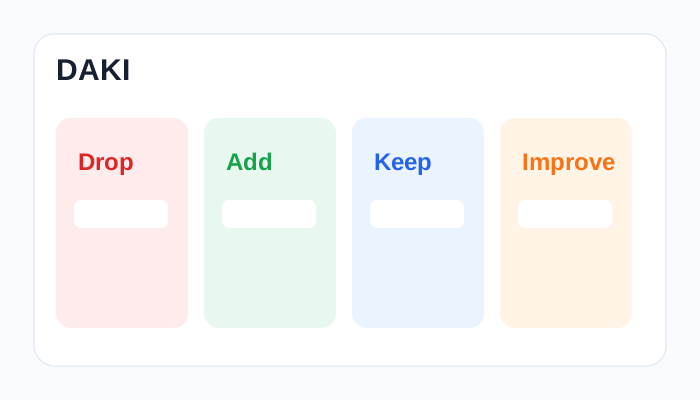
Use the prompts to keep cards specific. The examples show the level of detail that makes discussion and voting useful.
Which practice costs time or complexity and has stopped earning its place?
Which missing practice should the team try as an experiment?
Which practice works well at its current level?
Which useful practice needs a targeted adjustment while it stays in place?
A complete path from framing the room to assigning one concrete follow-up.
Name the sprint or project being reviewed, restate the purpose of each column, and remind everyone to describe observable events.
Give everyone uninterrupted time to add one specific observation per card across every column.
Read the cards column by column and let authors add context without debating solutions yet.
Combine cards that describe the same pattern, then vote for the themes that would most improve the next iteration.
Explore causes, consequences, and tradeoffs behind the highest-voted themes while making space for dissenting evidence.
Turn the strongest insight into a small action with an owner, deadline, and signal the team can review next time.
Trace the work from discovery to release, then classify changes at each handoff.
Review tools and automation alongside alerts and recurring operational tasks.
Use a longer window to reset team practices ahead of the next quarter.
Before the retro
The name DAKI comes from its four labels: Drop, Add, Keep, and Improve.
Start Stop Continue places every practice that remains with the team into a single Continue category. DAKI splits that decision into Keep for proven strengths and Improve for practices that need adjustment.
Use Improve for a practice that creates value and needs a specific change to its quality, frequency, ownership, or scope.
Choose one or two. Vote across all four columns, then give each action an owner and a point for review.
Open the ready-made columns, invite the team, collect observations, vote, and leave with an owned improvement.