Retros your team will look forward to
Run the retro together on one live board, from the first icebreaker to the last vote. Templates, timers, anonymous surveys, and action items keep the meeting moving while the team works through one shared flow from start to finish.
Guests join free from the board link
One shared board. Keep the conversation together.
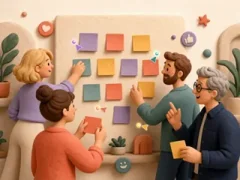
See teammates arrive in real time, then vote, react, and merge cards on one shared board.
Real-time collaboration
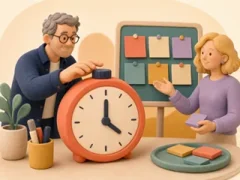
Start, pause, or extend the timer while your team talks. Everyone sees the same countdown.
Built-in board timer
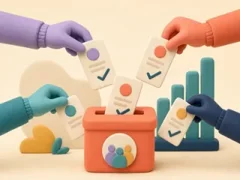
Choose from 12 anonymous surveys about sprint confidence, team energy, workload, goal clarity, and other signals.
Anonymous team surveys
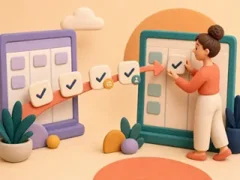
Create an action during Focus and link it to the cards your team chose to discuss.
Actions from the discussion

The link opens a public board for guests. They enter a display name before taking part, and the visit remains account-free from start to finish.
Share with a link
Start retros from the tools your team already uses.
Open a retro from a Microsoft Teams channel or ask your AI client to create one. The retro begins inside the tool your team already has open.
Nora · 9:41 AM
Sprint 24 is done — retro time! Join below 👇
Sprint 24 Retrospective
Classic Sprint template · Platform team
Start retros directly from Teams.
Add HeyRetro as a Teams tab. Start from a channel or chat, then finish the board setup in the web app with the roster waiting.
See how the Microsoft Teams setup worksStart where the team is
Open the retrospective from a channel, chat, or meeting.
Roster included
The Teams roster is ready for review before you confirm and create the board.
Enterprise ready
Available for organizations on Enterprise.
Run your retros from your AI client.
Connect HeyRetro's MCP server to your AI client, then check teams and templates or create a board with the same permissions as your account. Your account stays in charge.
Works with any MCP client
Connect Claude, Cursor, or another MCP client to HeyRetro.
Scoped access tokens
The token uses the same permissions as the account that created it. Revoke it whenever you want.
Boards from your editor
Check your teams and templates, then create a board from the editor you already have open.
Spin up a Sprint 24 retro for the Platform team.
- team
- Platform
- template
- Classic Sprint
Done. Share this guest link with everyone who will join the retrospective from outside your workspace.
heyretro.io/b/sprint-24Warm up the room before the retro.
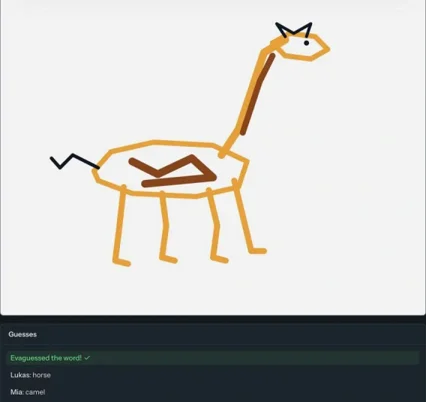
Draw & Guess
One teammate sketches a secret word and watches guesses arrive in real time while the rest of the room races to solve it before the round ends.
5–10 min2–12 players
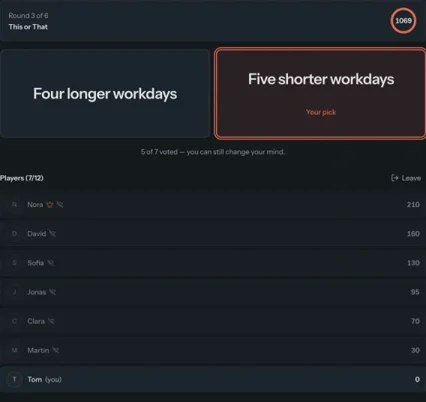
This or That
Pick between two quick-fire options and discover where the team splits.
2–4 min2–12 players
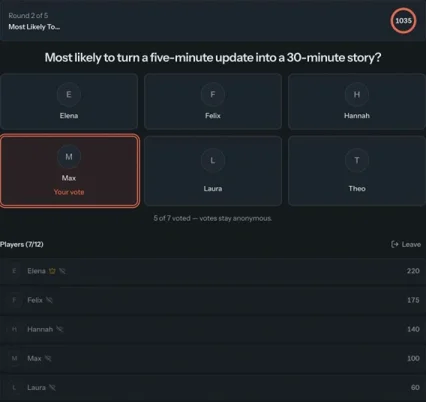
Most Likely To…
Vote for the teammate who best fits the prompt, then reveal it together.
3–5 min3–12 players
Every game is free. Players enter a display name after opening the shared game link. Explore all icebreaker games
Choose your retro format.
The template library contains 15 formats, with the full set included on paid plans alongside the option to duplicate an existing board or set up custom columns.
Classic Sprint
Capture what worked and what needs attention. Leave room for shout-outs too.
Start / Stop / Continue
Choose the habits your team wants to start, the ones it should stop, and the ones worth keeping.
Sailboat
Map the wind behind the team, the anchors slowing it down, the rocks ahead, and the island you're sailing toward.
Mad/Sad/Glad, Safety Check, Mountain Climber, and more.
Blank board. Clear action.
Pick a template
Choose Classic, Sailboat, or Mad/Sad/Glad. Build custom columns when the conversation calls for them.
- Copy+2
Share the link
Send an email invite or paste the guest link into your meeting chat.
- 02:14
Run the phases
Collect the cards first. Then vote, focus the conversation, and watch the shared timer together.
Capture actions
During Focus, turn the chosen cards into an action your team can see in Wrap-up.
Choose a plan based on how many boards and teams your organization needs each month.
Choose monthly billing or save on a yearly plan. You can cancel from the billing screen.
3-day free trial on every paid plan.
Free
For solo facilitators kicking the tires.
Forever free
- 1 board per month
- Anonymous surveys
- Guest link sharing
Team
For a single squad starting their retro habit.
Billed yearly
Everything in Free, plus:
- 2 teams
- 5 boards per month
- All retro templates
- Priority support
Team Pro
Most popularFor growing orgs running parallel retros every sprint.
Billed yearly
Everything in Team, plus:
- 10 teams
- Unlimited boards
- Priority support
Enterprise
For companies with SSO and scale needs.
Billed yearly
Everything in Team Pro, plus:
- Unlimited teams
- Unlimited boards
- Microsoft Teams integration
- SAML & OIDC SSO
- Organization-level controls
Built for company-wide retros.
Enterprise brings SAML and OIDC SSO, organization controls, cross-team management, and dedicated onboarding to companies running retros across many teams.
SAML & OIDC SSO
Connect HeyRetro to your SAML or OIDC identity provider.
Organizations
Bring every team and member under one organization, with billing managed from the same screen for everyone.
Unlimited boards and teams
Create as many workspaces and retros as the organization needs.
Common questions.
Have another question? Email [email protected] and someone from our team will get back to you with an answer.
- Guests follow the public board link and enter a display name when they are ready to participate. Their visit stays account-free.
Start your next retro now.
Create a board and share the link. Before the team leaves, turn the chosen discussion into an action.